

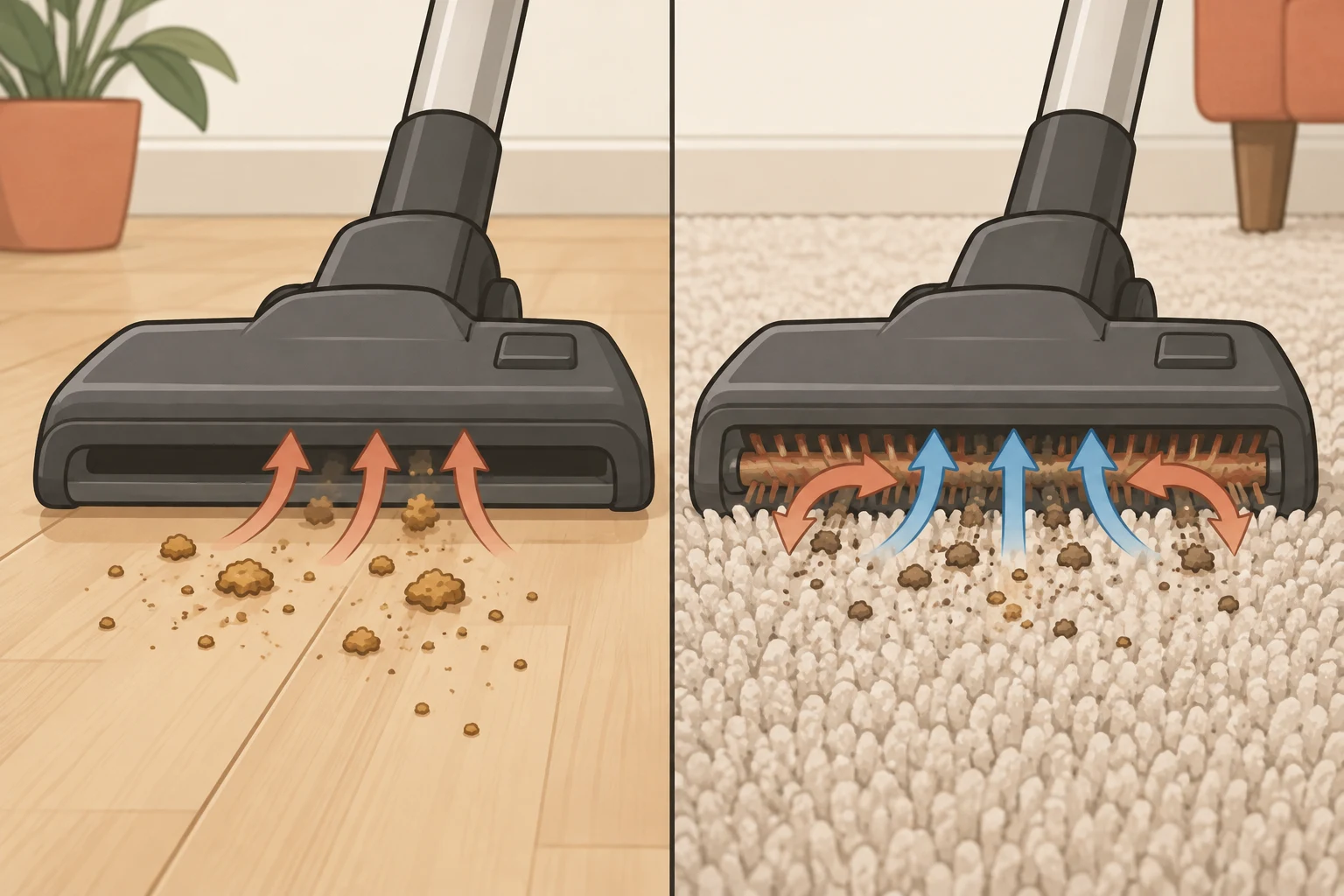
Your vacuum might be able to collect loose crumbs from the hard floor, but it might not be able to loosen and extract dirt from the carpet. Before pointing to the motor, I’d suggest checking the cleaner head and the carpet settings. A blockage can restrict the airflow and thus the carpet pickup.[1][3][5]
Picture me in an imagined living room. I go and collect every crumb from the kitchen tile and push over the same thread four times on the carpet. Now I'm getting irritated enough to consider buying a new vacuum. The better change is to replace covering the room and notice what the head is doing: gripping the carpet, gliding over the thread, stopping the brush, or any of the numerous other things.
Did this vacuum ever clean this carpet well?
If this vacuum used to clean this carpet well with the same head, I'd suggest checking something that changed: wrapped hair or other obstructed passages, a full bag, or a clogged filter. If trouble started with a newly installed carpet or a new head, then I would suggest checking those things first.[3][4][5][7]
For your vacuum and its attached cleaner head, locate the owner’s manual. You want the mode with carpet settings (height and suction controls) and when the brush is to run, not if the machine has a carpet symbol. Before activating the brush, check the care directions on the carpet as well. Shaw suggests using the rotating brush for the majority of their products, but a raised brush or suction-only for long-pile shag. Your carpet’s restrictions take precedence.[2][3][4]
What happens when the head meets the carpet?
Suction, airflow, and brushing are not the same. Suction pulls air in. A brush, if applicable, helps loosen dirt, and airflow carries loosened dirt away. So height and brush contact do affect performance. A strong sounding motor does not necessarily mean good carpet performance.[1][3]
If your head is not fully in contact with your carpet, and isn’t removing dirt, first make sure your head is not set for hard floor. If your carpet allows for brushing, you can use the brush with carpet mode (settings described in the owner’s manual) and lower the head height for better contact. Contact should not be scraping. It is better to have light contact.[3][7]
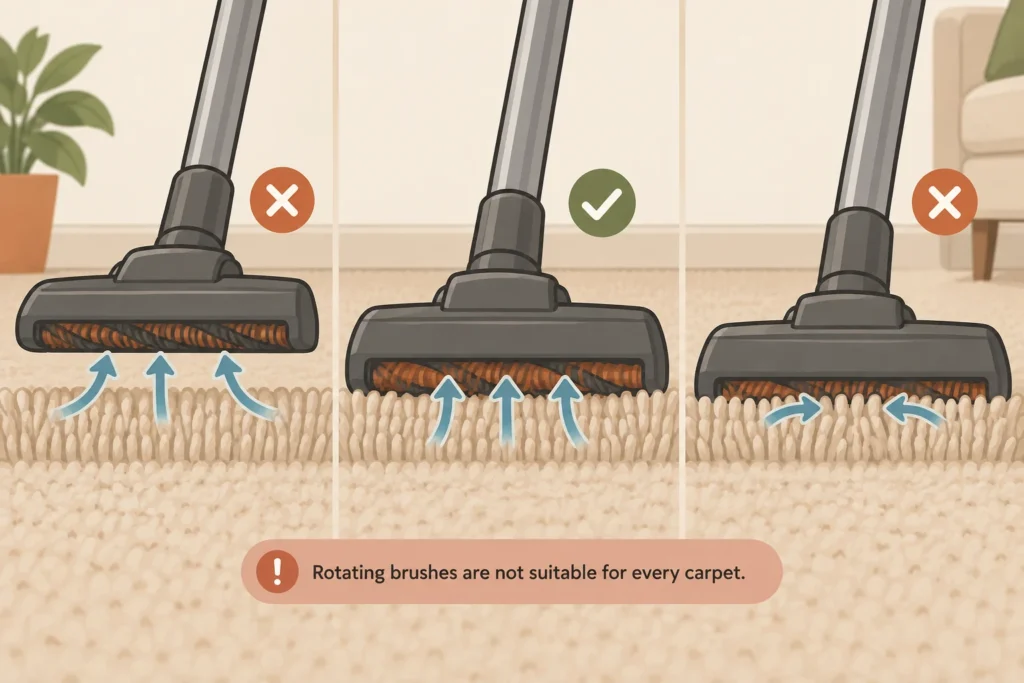
A head that grips the carpet calls for a different response. The soft pile may restrict airflow, causing even more of a vacuum. If your model has a suction release, try that first, and then try a higher setting. Don’t push it through the pile and/or try to cut an airway through it. Repeated stalling, pulling yarn, and/or fuzzing are signs that you are using the setting incorrectly. Stop using the setting, clean the carpet, and/or try a different setting, possibly a lower one. If the brush continues to stall and pull yarn, the head needs a different approach, maybe it needs to be replaced.[2][3][4]
A brush that appears to be stationary needs a little context. The Dyson DC41 for example, may stop the brush rotation and refuse to turn with the main body of the vacuum, automatically. So an upright view doesn’t necessarily mean the brush is bad. Use your model’s documented checks and indicators.[4]
When power is isolated, look for wrapped hair or thread on the owner-accessible brush and/or debris in the head passages identified in the manual. Use the removal method described in the manual. Do not assume the roller lifts out or the belt is replaceable. If clearing the obstruction and performing any permitted resets do not restore brush operation, I would request service rather than guess and replace the belt and/or motor.[1][4][7]
When to look beyond the brush
If attachments also pick up poorly, consider the air path they share with the floor head. Check whether the bag/bin has reached its fill limit, whether the bin is properly seated, and whether the hose connections are secure. Power isolated? Instructed to check certain passages? Look for obstructions in passages identified for the owner to check and isolated power. Even good hard floor pick up can exist with a restriction. Collecting exposed crumbs doesn’t tell you how much air is passing through the brush head when picking up carpet.[1][5][7]
What is described herein is also found in BISSELL’s cleaning instruction guide for the models the hose end check applies to. In the BISSELL CleanView/PowerGroom troubleshooting, fairly strong hose suction indicates a blockage in the lower hose/foot, and weak hose suction indicates a blockage in the hose/collection system/filters. This information along with the bends test, does help to prioritize where to look to determine the cause. It may or may not be the case that the brush is faulty, and it doesn’t measure airflow. This is a procedure to help BISSELL customers with specific models.[5]
Resist the urge to wash every filter that looks dirty. The BISSELL 9595 pre-motor filter is washable, but the post-motor filter is not, and should not, be washed. The method, frequency, and time for drying your filters is determined by your filter instructions. All of the filters, including the motor brushes, should be completely dry prior to use.[4][6]
Make the next pass answer a question
You don’t always need a whole-room attempt to determine a correction. Choose two adjacent, previously unvacuumed strips, that are similar in the amount of lint and/or debris shown, and visible on the surface of the carpet. If you are setting up correctly and the position of the unit is not causing damage to the carpet, give the first strip a slow pass, forward and back, to determine if there is any visible improvement. Using the same speed and number of passes, do the same to the adjacent strip.
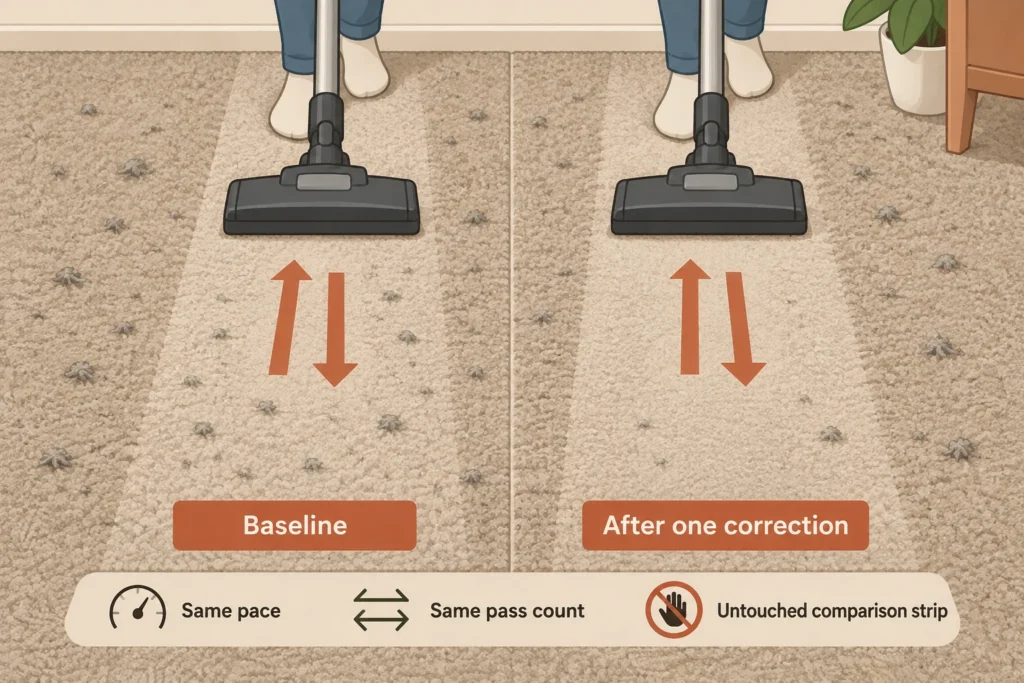
It is a good idea to keep a change if it improves pickup and does not grab or disturb the fibers. If it does not help pickup, you should examine the cause and the problem, rather than reward the vacuum for a dozen extra passes.
If those checks don’t solve it
If the vacuum has previously worked on this carpet but remains weak after adjusting the settings and doing owner maintenance checks, request model diagnosis. Other warning signs, like burning odor or smoke, electrical damage, grinding, or repeated shutdown means stop using it, break the circuit, and arrange for service rather than repeatedly resetting it. The checks can’t determine if there’s an internal electrical or drive fault.[4]
If the problem began with the new carpet and remains with both products operating within their permitted settings, contact the carpet and vacuum manufacturer, and ask if the current head is okay. Provide the model number, type of carpet, if the brush is running, and if the head slides or grips. I would want that information before buying a part or a vacuum that may work the same.[2][3]
Sources and references
- Carpet and Rug Institute: Carpet & Rug Care Guide
- Shaw Floors: Carpet Care & Maintenance Tips
- Mohawk Flooring: Selecting the Right Vacuum
- Dyson: Dyson DC41 Operating Manual
- BISSELL: My CleanView/PowerGroom Vacuum Has No Suction
- BISSELL: Cleaning Filters, CleanView Vacuum With OnePass Technology 9595
- BISSELL: CleanView Swivel Pet Low or No Suction Video Transcript